
Professional mind mapping and note taking software
If you're looking for one of the most comprehensive brainstorming applications possible on the Mac or are looking for a replacement for OneNote on Windows, then you may find Curio a very interesting option.
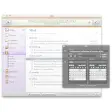
Curio is an incredibly detailed and rich brainstorming and note taking application that helps map out your ideas in stunning detail and this professional version leaves no stone unturned.
Curio Professional includes everything you get in the standard version but includes templates and stencils, a status shelf for color coding tasks and events, a presentation mode for sharing idea spaces, dossiers and project encryption. Curio Professional also includes a tool called Sleuth which allows you to search resources such as Google Images and Flickr from within Curio.
Curio features a free form interface and toolkit that allow you to place items anywhere you want including notes, pictures, audio and even video. The only limits are your imagination as you can place elements in any position which gives it a distinct advantage over all those similar programs that restrict you to text boxes or certain areas.
You can even give your brainstorm plans or notes their own unique look thanks to a variety of backgrounds and styles such as note paper, graph paper style and linen paper texture for example.
Curio is a victim of its own depth in a way, however. Unlike similar programs, Curio isn't particularly easy to get to grips with due to the sheer number of features it offers but a very detailed user guide is available for those willing to make the effort. Those who like to record their ideas on the move and don't want to carry their MacBook around with them too much may also be disappointed to hear that there is no iPad version of Curio yet either.
Overall though, as far as mind mapping and brainstorming applications go on the Mac, Curio is one of the most complete out there..
Notable TweaksAdded new "Create alias to file instead of embedding" checkbox in the Insert > File dialog which does the same thing as holding down Option when dragging a file in from the Finder.Notable FixesUsing spacebar to collapse a list or mind map will now keep the immediate first-level children visible so you notice the collection is collapsed.Fixed issue where an Untitled but autosaved project document could be accidentally closed without saving if you open another project in a new window.Fixed a bug where showing the Library or searching may hang due to underlying asset aliases which couldn't be resolved.Fixed issue where the shelf system could crash when switching between projects.Gesture support is now tied to a new preference setting and is off by default. If you try to enable it then we warn you if you are running a gesture-enhancement utility which could interfere with our undo stack.Fixed a bug where you could call Spread PDF with no PDFs on the idea space, which would then beachball the application.Fixed a bug where holding Option+Shift wasn't creating a completely empty List or Mind Map objectNow warning users that if they enable sections for a project you cannot open it with Curio Core or with versions of Curio earlier than version 7.Fixed some issues with figures with notes when calling Arrange > Collect Into List/Mind Map.Fixed spacebar handling for quicklook vs. cursor zoom modes. It used to be that dialogs that appeared would capture the keydown but send us the keyup for any key that was pressed to close the dialog. Now we enter into a pending mode on keydown for spacebar presses.Notes can now be assigned to a collection figure (list, mind map, index card, table) and not just the root figure of the collection.Fixed a style issue when creating attached collections.
Changes
Notable TweaksAdded new "Create alias to file instead of embedding" checkbox in the Insert > File dialog which does the same thing as holding down Option when dragging a file in from the Finder.Notable FixesUsing spacebar to collapse a list or mind map will now keep the immediate first-level children visible so you notice the collection is collapsed.Fixed issue where an Untitled but autosaved project document could be accidentally closed without saving if you open another project in a new window.Fixed a bug where showing the Library or searching may hang due to underlying asset aliases which couldn't be resolved.Fixed issue where the shelf system could crash when switching between projects.Gesture support is now tied to a new preference setting and is off by default. If you try to enable it then we warn you if you are running a gesture-enhancement utility which could interfere with our undo stack.Fixed a bug where you could call Spread PDF with no PDFs on the idea space, which would then beachball the application.Fixed a bug where holding Option+Shift wasn't creating a completely empty List or Mind Map objectNow warning users that if they enable sections for a project you cannot open it with Curio Core or with versions of Curio earlier than version 7.Fixed some issues with figures with notes when calling Arrange > Collect Into List/Mind Map.Fixed spacebar handling for quicklook vs. cursor zoom modes. It used to be that dialogs that appeared would capture the keydown but send us the keyup for any key that was pressed to close the dialog. Now we enter into a pending mode on keydown for spacebar presses.Notes can now be assigned to a collection figure (list, mind map, index card, table) and not just the root figure of the collection.Fixed a style issue when creating attached collections.

























User reviews about Curio
Have you tried Curio ? Be the first to leave your opinion!